Competitors
The Competitors tab lets you track competitors' public accounts: followers, growth, engagement per post and the post format that works best. A competitor post whose engagement grows unusually fast gets a Hot label.
Before you start
- Platforms: Instagram and YouTube. Facebook is only available if you see it in the Platform list.
- Instagram: the competitor must be an Instagram Business or Creator account. The workspace needs a connected Instagram channel for the lookup. Personal accounts don't share insights.
- Limit: how many competitors you can track depends on your plan, counted across all of the owner's workspaces. See Plans and billing.
- Roles: Owners, Admins and Editors add and remove competitors. Client reviewers can view only. The competitor list is shared by the whole workspace.
Add a competitor
-
In the sidebar, under Analytics, choose Competitors & trends, then the Competitors tab.
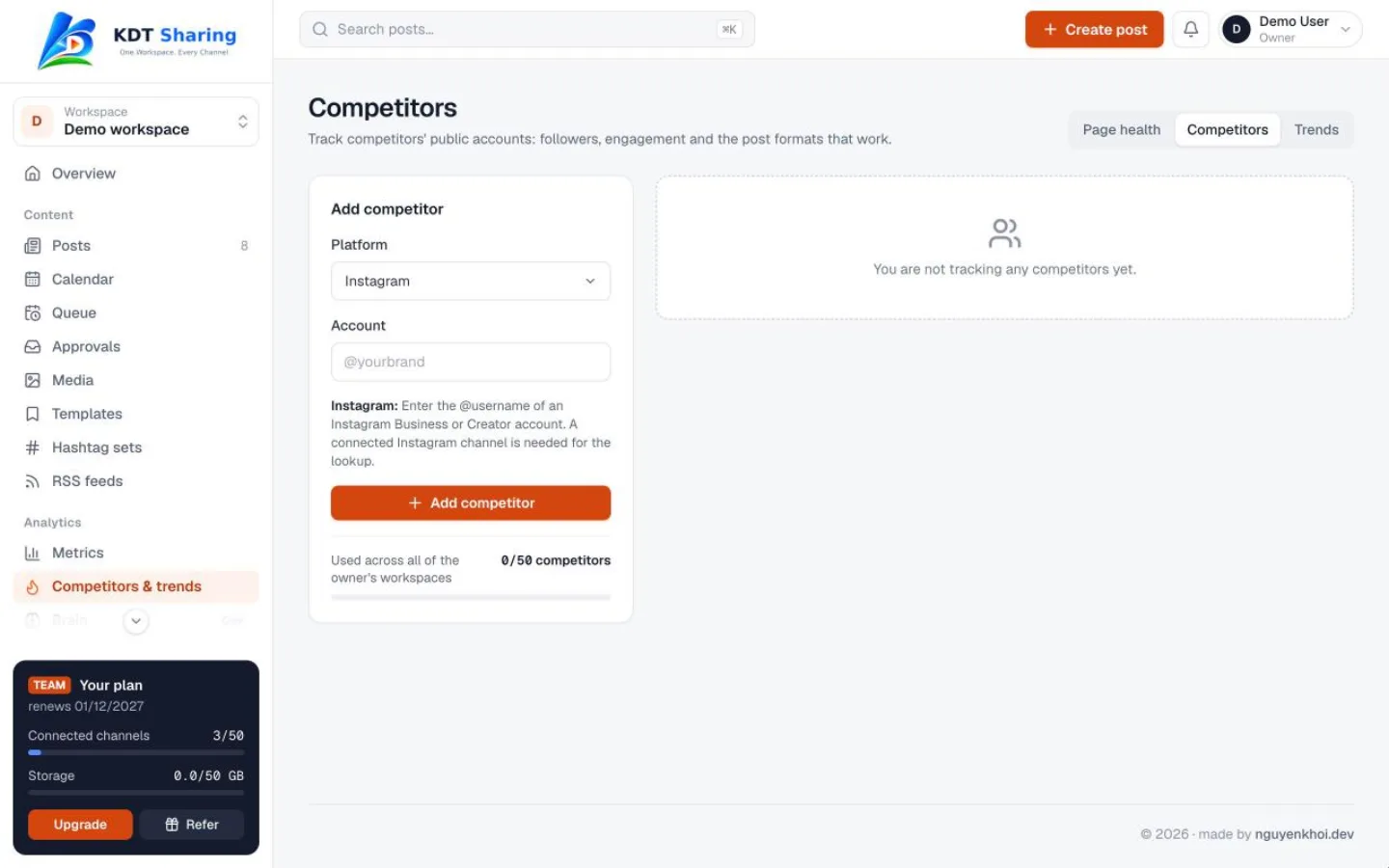
The form for adding a competitor account to track -
In the Add competitor form, pick a Platform.
-
Enter the Account:
- Instagram: the
@usernameof a Business or Creator account. - YouTube: the
@handle, channel link or channel ID. - Facebook: the name or link of a public Facebook Page.
- Instagram: the
-
Click Add competitor. The first data arrives after the next sync.
When you reach your plan's limit, the form locks and shows an Upgrade button. You can stop tracking some competitors to add new ones.
Read the competitor table
| Column | Meaning |
|---|---|
| Followers | Current follower count |
| 7 days, 30 days | Follower growth over 7 and 30 days |
| Engagement/post | Average engagement per recent post |
| Top format | The post format with the highest engagement, such as Reels, Video, Photo or Carousel |
Click a competitor's name for details: the Followers, last 30 days chart, posts in the last 30 days, and Recent posts (up to 25).
Competitor data syncs automatically every few hours. Click Sync again to schedule a sync now; data updates within about 15 minutes.
Hot posts
A post is marked Hot when it's under 3 days old and engaging at 3 times the account's usual pace or more. The usual pace is the median speed of that account's posts over the last 30 days. A label like ×3 usual pace shows how much faster the post is.
Competitors' hot posts also show up on the Trends tab and on the workspace home page under Competitors trending now.
Stop tracking
- Open the competitor's details and click Stop tracking.
- Confirm in the Stop tracking this competitor? dialog. This competitor's data history and saved posts are deleted.
Common errors
| Message | What to do |
|---|---|
| Connect an Instagram Business or Creator account to track Instagram competitors. | Connect an Instagram channel to the workspace first. See Instagram. |
| No Instagram Business or Creator account found. | Check the @username. If the competitor uses a personal account, it can't be tracked. |
| No YouTube channel found. | Paste the channel link or channel ID instead of the @handle. |
| This competitor is already on your list. | It was added before; find it in the table. |
| Awaiting Meta approval | Meta hasn't approved insight access for this source yet. Nothing to do on your side. |